A Canva Bulk Create alternative that also schedules
Bulk Create hands you a document; you still have to export it and get every image to the right platform at the right time. PlanBatch takes the same spreadsheet all the way: branded images, captions, a calendar, and automatic publishing.
Side by side
Canva facts checked against Canva's own Help Center, August 2026.
| Capability | Canva Bulk Create | PlanBatch |
|---|---|---|
| Bulk create from a spreadsheet | Yes, up to 300 rows | Yes, 10 rows free / 50 Pro / 300 Agency |
| On the free plan | No. Pro, Teams and up only | Yes, 10 rows and 30 images per month |
| Works in the browser on any device | Bulk Create is desktop only | Yes |
| What you end up with | A multi-page Canva document to export | Finished posts on a publishing calendar |
| Schedules and auto-publishes the batch | Only via Canva's own planner, separately | Instagram, Facebook and LinkedIn built in |
| Brand fonts, colors and logo | Brand Kit on paid plans | Brand kits bound into templates, all plans |
Canva is a trademark of Canva Pty Ltd. PlanBatch is not affiliated with Canva.
The same spreadsheet, taken further
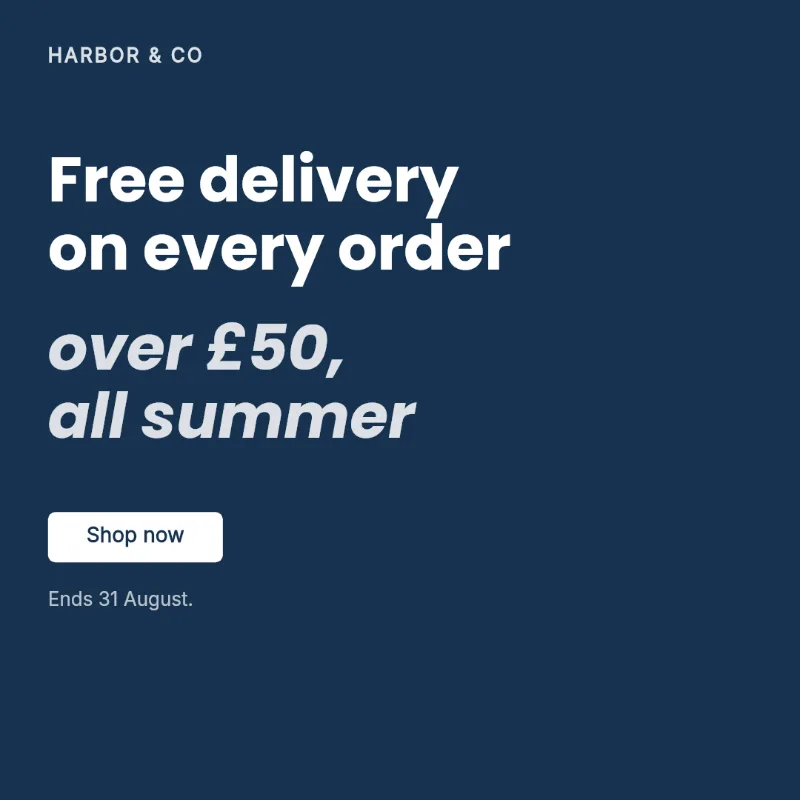
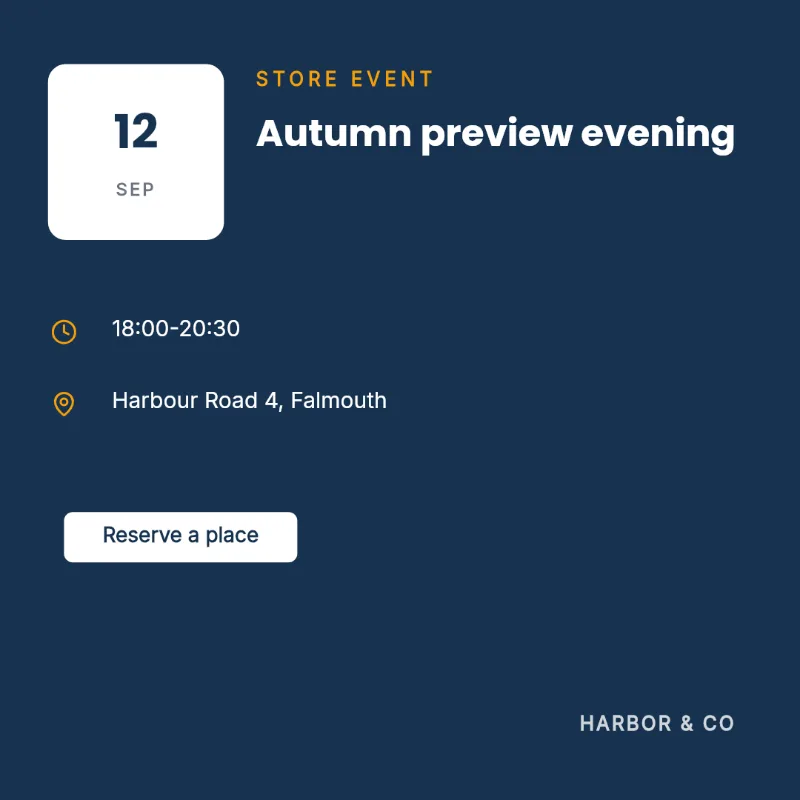
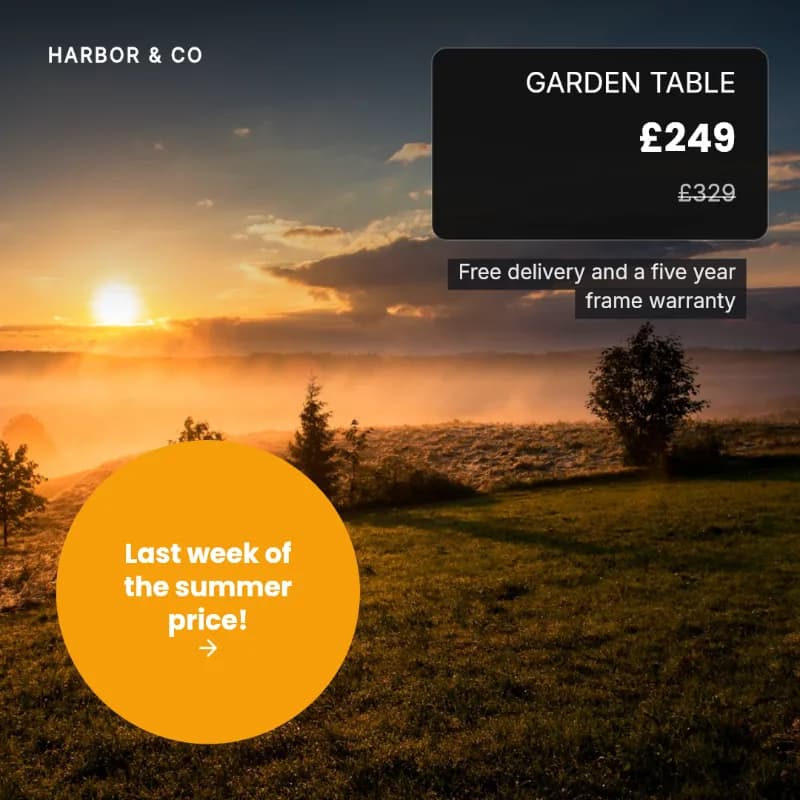
These are real PlanBatch templates rendering in your browser. Edit the CSV, drop in a photo, and watch.
image column with URLs gives each row its own photo.Rendered in your browser by the same engine as the app's template editor.
What comes out the other end
Generated from a spreadsheet with a brand kit applied, then scheduled and published without a second tool.

Where Bulk Create stops, this starts
Same input
One row per post: products, offers, events. If it worked in Bulk Create, the same CSV works here.
Straight onto a calendar
The generated batch lands as scheduled posts, auto-spread across the coming weeks or placed by hand.
Publishes itself
Instagram, Facebook and LinkedIn, at the scheduled time. No export, no re-upload, no reminders.
More free tools
All free, all no signup, all running in your browser.
Grid crop checker
See exactly what the profile grid keeps of your post since the January 2026 change, and what gets cropped away.
OpenCarousel splitter
Split one wide image into seamless 1:1 or 4:5 carousel slides, entirely in your browser.
OpenCaption length checker
One caption against every network at once, with the exact number of characters to cut.
OpenImage size checker
See which post formats your image already fits, and what square, portrait, story and pin each crop away.
OpenLinkedIn carousel PDF
Turn slide images into the PDF LinkedIn needs for a swipeable carousel, every page the same size.
OpenCSV checker
Check a bulk-upload CSV against your scheduler's own rules, row by row, before it rejects or skips anything.
OpenCommon questions
How is this different from Canva Bulk Create?
Bulk Create ends when the images are made, and you are left exporting a folder and uploading it somewhere else. PlanBatch treats the batch as a set of posts: the same upload that renders the images also captions, schedules and publishes them.
Can I use the same spreadsheet I already use with Canva?
Usually, yes. The import expects one row per post with a header row, which is the same shape Bulk Create asks for, so a working Canva sheet is normally a working PlanBatch sheet.
How many rows can I upload at once?
10 on the free plan, 50 on Pro and 300 on Agency. The Agency figure matches what Canva Bulk Create allows, so a sheet that worked there fits here.
Do I need design skills?
No. You pick a template, and your brand colours, fonts and logo are applied to every image in the batch. The templates are built so that an empty brand kit still renders something finished.
Is there a free plan?
Yes, with no card required: 30 images and 20 scheduled posts a month. Paid plans are $12 and $39 a month, or $120 and $390 a year.
Bring the spreadsheet you already have
Free plan includes bulk create: 10 rows per upload, 30 images a month. No credit card required.
Get Started Free